 Fileboom
FileBoom
Fileboom, widely known under its short name fboom, is a file hosting and sharing platform that provides users with the ability to upload, store, and distribute digital files efficiently and securely.
What is Fileboom?
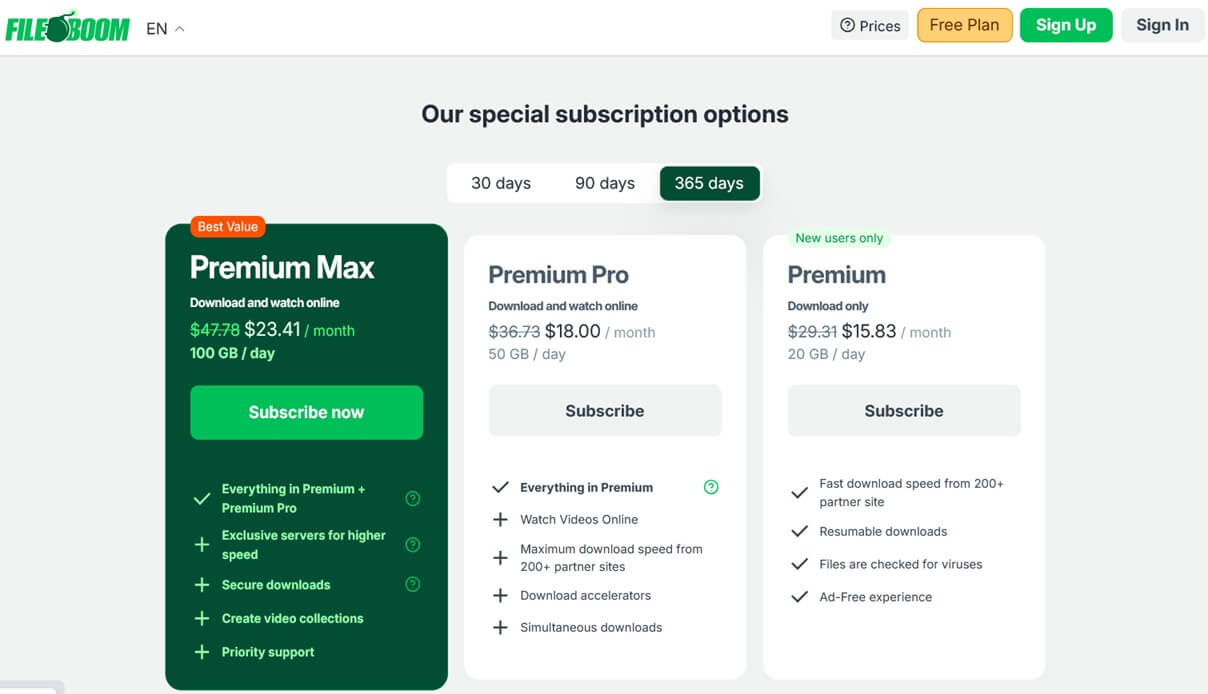
Premium 🔑
Download only
- 20 GB daily download
- Fast download speed from 200+ partner sites
- Resumable downloads
- Files checked for viruses
- Ad-free experience
Premium Max 🏆
Download and watch online
- 100 GB daily download
- Everything in Premium + Premium Pro
- Exclusive servers for higher speed
- Security downloads
- Create video collections
- Priority support
Premium Pro ⚡
Download and watch online
- 50 GB daily download
- Everything in Premium
- Watch videos online
- Maximum download speed
- Download accelerators
- Simultaneous downloads
Fileboom is a cloud-based file hosting and sharing platform built to simplify the storage and distribution of digital content. It allows users to upload a wide variety of file types — including videos, series, music, films, images, documents, software packages, and compressed archives — and share them easily through a secure, automatically generated download link. Unlike traditional email attachments that suffer from strict size limits and slow transfer speeds, Fileboom provides a scalable and reliable solution for sending large files online. Whether for personal backups, business collaboration, or public content sharing, Fileboom enables users to access their data anytime, anywhere, using any internet-connected device.
The platform supports both free and premium accounts, making it suitable for casual users as well as professionals who require higher performance. While free users can share files with certain restrictions, premium users benefit from faster downloads, extended file availability, and a clean, ad-free experience.
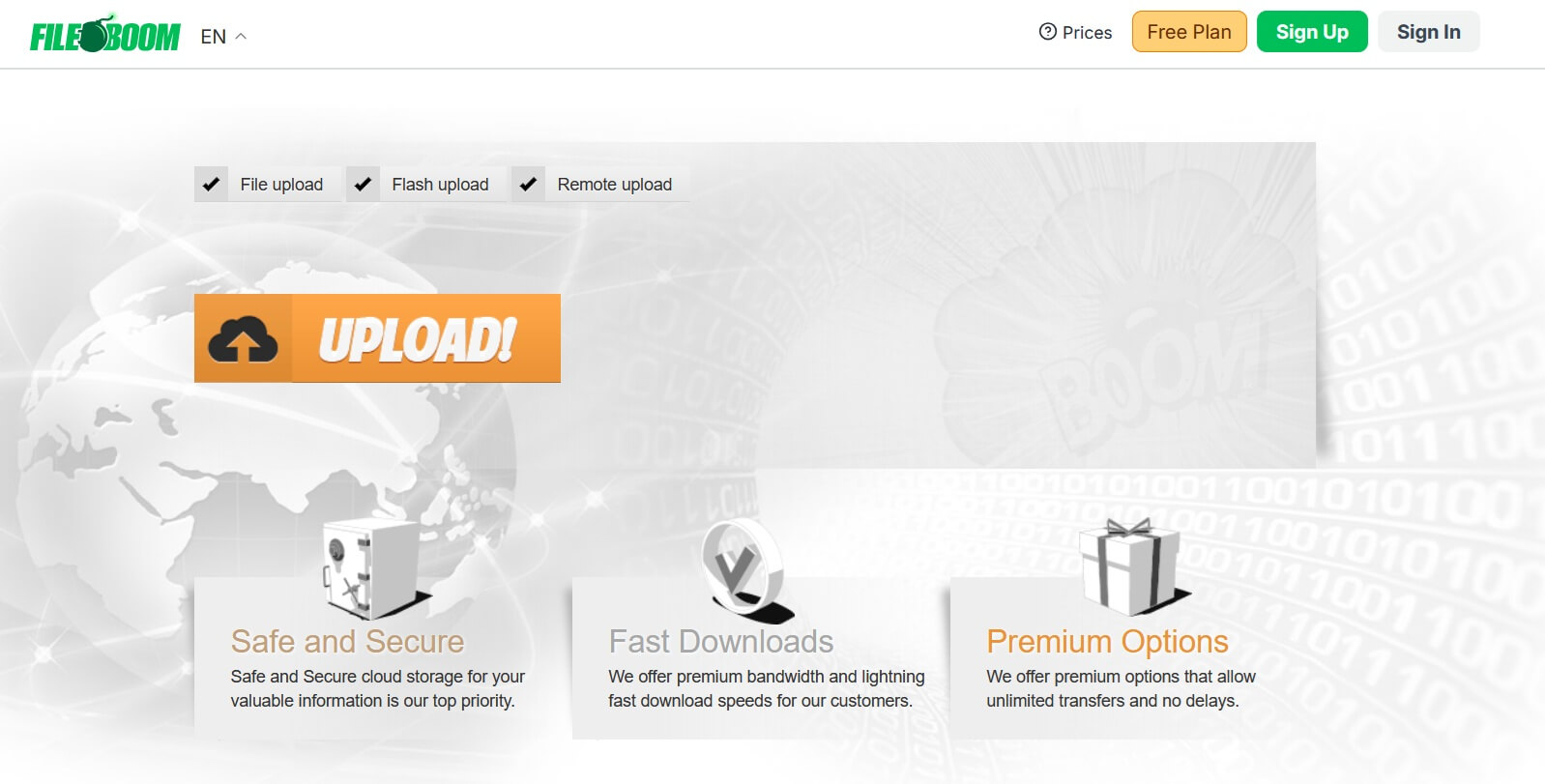
Main Features of Fileboom
One of Fileboom’s strongest advantages is its user-friendly approach. No technical knowledge or server management experience is required to begin sharing files. Users simply upload a file, copy the generated link, and share it with others. Fileboom automatically manages bandwidth usage, hosting infrastructure, and access conditions. This straightforward workflow makes the platform especially attractive to users who want fast and hassle-free file distribution.
- Free and premium account options tailored to different usage needs.
- Instantly generated shareable download links.
- Support for large file uploads beyond standard email limits.
- Fast and intuitive upload-to-link process.
- File retention periods vary depending on account activity and type.
Why People Use Fileboom
Users choose Fileboom primarily for its flexibility and convenience. Content creators can distribute large video files quickly, while developers often rely on it to share software builds or updates. Since no personal server setup is required, Fileboom lowers technical barriers and becomes an ideal solution for individuals, freelancers, and small teams alike.
- Fast sharing of large files without technical infrastructure.
- Easy access from any device with an internet connection.
How Does Fileboom Work?
Fileboom follows a simple yet effective workflow — upload, generate, and share. After uploading a file, the platform instantly creates a unique download link that can be shared with others. All uploaded files are stored on Fileboom’s cloud servers, where they are protected using secure transfer protocols and modern storage systems.
Free users can access the service without payment, but they encounter limitations such as advertisements, waiting timers, and slower download speeds. Premium users, however, enjoy instant downloads, higher transfer speeds, no ads, and priority server access. This tiered model allows Fileboom to remain accessible to casual users while offering enhanced performance for professionals and frequent users.
Process Breakdown
The upload-to-download cycle is designed for efficiency. Once a file is uploaded, a download URL is generated immediately and can be shared via email, messaging apps, or social media platforms. Depending on the account type, Fileboom may apply restrictions to manage bandwidth usage.
- Step 1: Upload the file to Fileboom.
- Step 2: Receive a unique download link.
- Step 3: Share the link with recipients.
- Step 4: Download the file based on account limitations.
Free vs Premium Workflow
Free users typically experience waiting timers, advertisements, and capped download speeds. Premium users bypass these restrictions entirely, enjoying uninterrupted, high-speed downloads. This distinction makes premium plans particularly appealing to users who value speed and efficiency.
- Free: waiting times, speed limits, and ads.
- Premium: instant, unlimited, ad-free downloads.
Uploading Files
Uploading files to Fileboom is straightforward, but following best practices can improve reliability. Compressing files into archives simplifies file management, while a stable internet connection reduces the risk of upload interruptions. Once uploaded, users should always test the generated link before distribution. Advanced users may also take advantage of password protection or expiration settings for added control.
Best Practices for Uploading
Before uploading, it is important to review file size limits associated with your account. If a file exceeds the maximum allowed size, splitting it into smaller parts using archive tools can help.
- Combine multiple files into a single archive.
- Split oversized files into smaller segments.
- Verify file size limits for your account type.
- Use a reliable internet connection.
Security During Upload
For sensitive data, encryption prior to upload is highly recommended. Even with secure transfer protocols in place, encryption ensures that only authorized recipients can access the actual content.
- Encrypt confidential files before uploading.
- Test download links for proper access.
- Enable password protection when available.
Downloading Files
The download experience on Fileboom depends heavily on the user’s account type. Free users often face limitations such as CAPTCHA verification, countdown timers, and reduced download speeds. These measures help manage server load and maintain platform stability.
Premium users benefit from a significantly smoother experience, including instant downloads, unrestricted bandwidth, and access to high-speed servers. This makes premium accounts ideal for users who frequently download large files or require consistent performance.
Regardless of account type, users should always scan downloaded files with reputable antivirus software to ensure file safety.
Free User Experience
Free accounts are suitable for occasional downloads but include several restrictions designed to balance resource usage.
- Download countdown timers.
- Speed limitations and advertisements.
- Possible single-download restrictions.
Premium User Experience
Premium users enjoy a seamless experience with no delays or interruptions, making it ideal for demanding workflows.
- Instant, high-speed, ad-free downloads.
- Support for multiple simultaneous downloads.
- Improved stability and performance.
Premium Features of Fileboom
Premium Fileboom accounts are designed for users who prioritize speed, reliability, and convenience. A premium subscription unlocks advanced features that significantly reduce waiting times and improve overall usability.
Advantages of Premium Accounts
Premium members receive priority server access, faster transfer rates, and longer file retention periods. These benefits make premium plans especially attractive for professionals who regularly work with large files.
- Unlimited high-speed downloads.
- Completely ad-free experience.
- Multiple concurrent downloads.
- Extended file availability.
Who Benefits the Most?
Premium subscriptions are ideal for professionals such as video editors, photographers, designers, and software developers. Even frequent personal users benefit from the time saved through instant access.
- Professionals managing large digital assets.
- Users who download files regularly.
Safety and Security
Fileboom operates in a digital environment where data security is critical. The platform uses secure transfer protocols to protect files during uploads and downloads. However, as with all file hosting services, Fileboom cannot fully control the content uploaded by users.
To stay safe, users should download files only from trusted sources and scan all downloads with antivirus software. Responsible usage combined with Fileboom’s security infrastructure helps minimize risks.
Platform Security Measures
Fileboom protects data transfers using secure connections, but users remain responsible for verifying file safety.
- Encrypted transfer connections.
- File management and deletion policies.
- Password protection for sensitive files.
User Responsibilities
Safe usage depends on user awareness. Avoid unknown links and encrypt sensitive content whenever possible.
- Scan files with antivirus software.
- Encrypt private or sensitive data.
Legal Considerations
While Fileboom itself is a legitimate platform, users are responsible for ensuring that shared content complies with copyright laws. Uploading unauthorized material may result in account suspension or legal action.
Acceptable Use Policy
Fileboom prohibits the sharing of copyrighted content without proper authorization. Users should review the platform’s terms carefully.
- Do not upload pirated software or media.
- Verify rights before sharing content.
- Follow applicable digital laws.
Safe Use Practices
Sharing only authorized files ensures long-term, trouble-free use of the platform.
- Upload personal or permitted files only.
- Review policy updates periodically.
Best Practices for Fileboom Users
Adopting smart usage habits improves efficiency and security when using Fileboom.
Efficiency Tips
Organizing files into archives and checking links before sharing helps prevent issues.
- Use archives to organize files.
- Ensure stable connections during transfers.
- Verify download links before sharing.
Security Tips
Extra precautions protect sensitive data and maintain account hygiene.
- Password-protect or encrypt important files.
- Remove outdated or unused files.
Frequently Asked Questions (FAQ)
Is Fileboom free to use?
Yes, Fileboom offers free accounts with limitations such as slower speeds and ads. Premium plans remove these restrictions.
What is the maximum file size?
Limits depend on the account type. Premium users can upload significantly larger files.
Is Fileboom safe?
Fileboom uses secure transfers, but users should always scan downloads and avoid untrusted sources.
Can I share copyrighted material?
No. Sharing copyrighted content without permission violates Fileboom’s policies.
How long are files stored?
Storage duration varies by account type and activity, with premium users enjoying longer retention.
Last Update: 24 June 2026 - 10:48